By default, logging in with a particular user account will persist your credentials in future sessions. This means that you’ll automatically reuse the same institutional and user account when you access the hub’s home page.
Switch Identity Providers
Logout of the Hub using the logout button or by going to
https://{hub-name}/hub/logout.Clear browser cookies (optional). If the user asked CILogon to reuse the same Identity Provider connection when they logged in, they’ll need to clear browser cookies for https://cilogon.org.
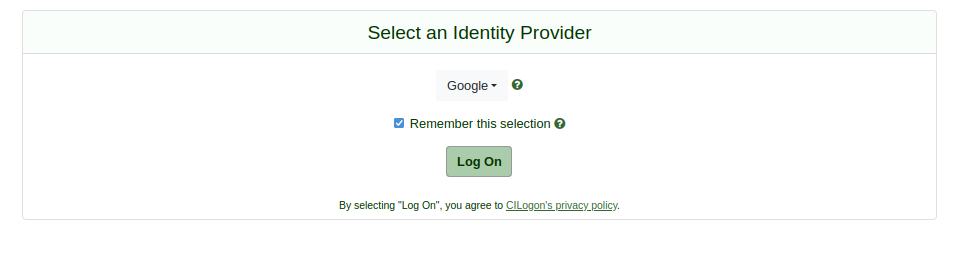
The dialog box that allows you to reuse the same Identity Provider.
Firefox example:
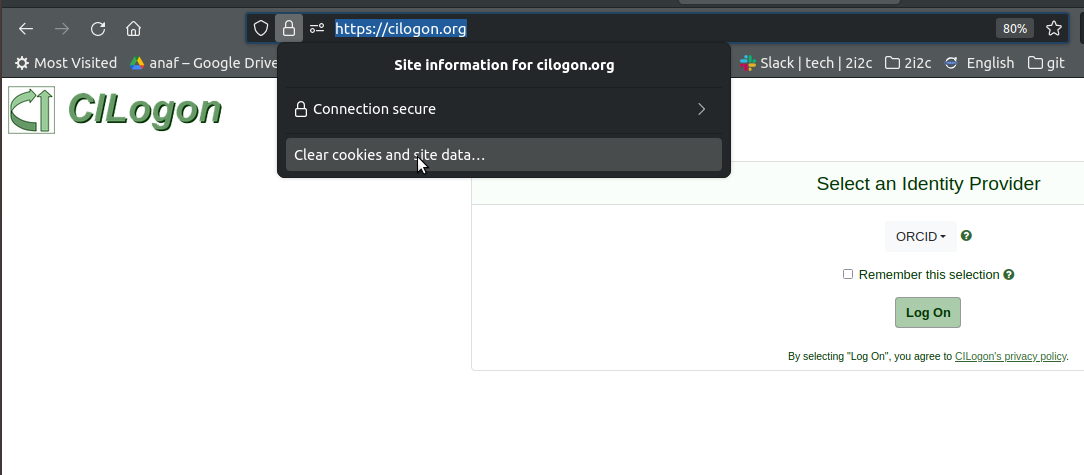
An example of clearing cookies with Firefox.
The next time the user goes to the hub’s landing page, they’ll be asked to re-authenticate and will be presented with the list of available Identity Providers after choosing the CILogon connection.
They can now choose another Identity Provider via CILogon.
Switch user accounts
Logout of the Hub using the logout button or by going to
https://{hub-name}/hub/logout.Logout of CILogon by going to the CILogon logout page.
The next time the user goes to the hub’s landing page, they’ll be asked to re-authenticate and will be presented with the list of available Identity Providers after choosing the CILogon connection.
Choose the same Identity Provider to login.
The user can now choose another user account to login with.
403 - Unauthorized errors
If you see a 403 error page, this means that the account you were using to login hasn’t been allowed by the hub administrator.
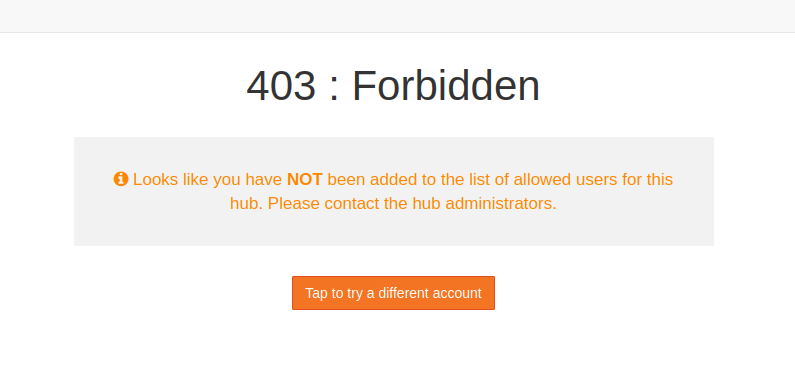
If you think this is an error, and the account should have been allowed, then contact the hub administrator/s.
If you used the wrong user account, you can log in using another account by following the steps in Switch user accounts.