
Azure#
In certain cases, it might be helpful to ‘scale up’ a node group in a cluster before an event, to test cloud provider quotas or to make user server startup faster.
Azure Console UI instructions#
Scaling up a node pool#
Login to https://portal.azure.com using the appropriate cluster credentials
Search the
Kubernetes servicesection for the appropriate clusterClick on the cluster name, then go to
Settingsand select theNode poolsoptionClick on the appropriate node pool that you would like to scale up
Then select the
Scale node pooloption from the top of the pageA new window should pop up that looks like this
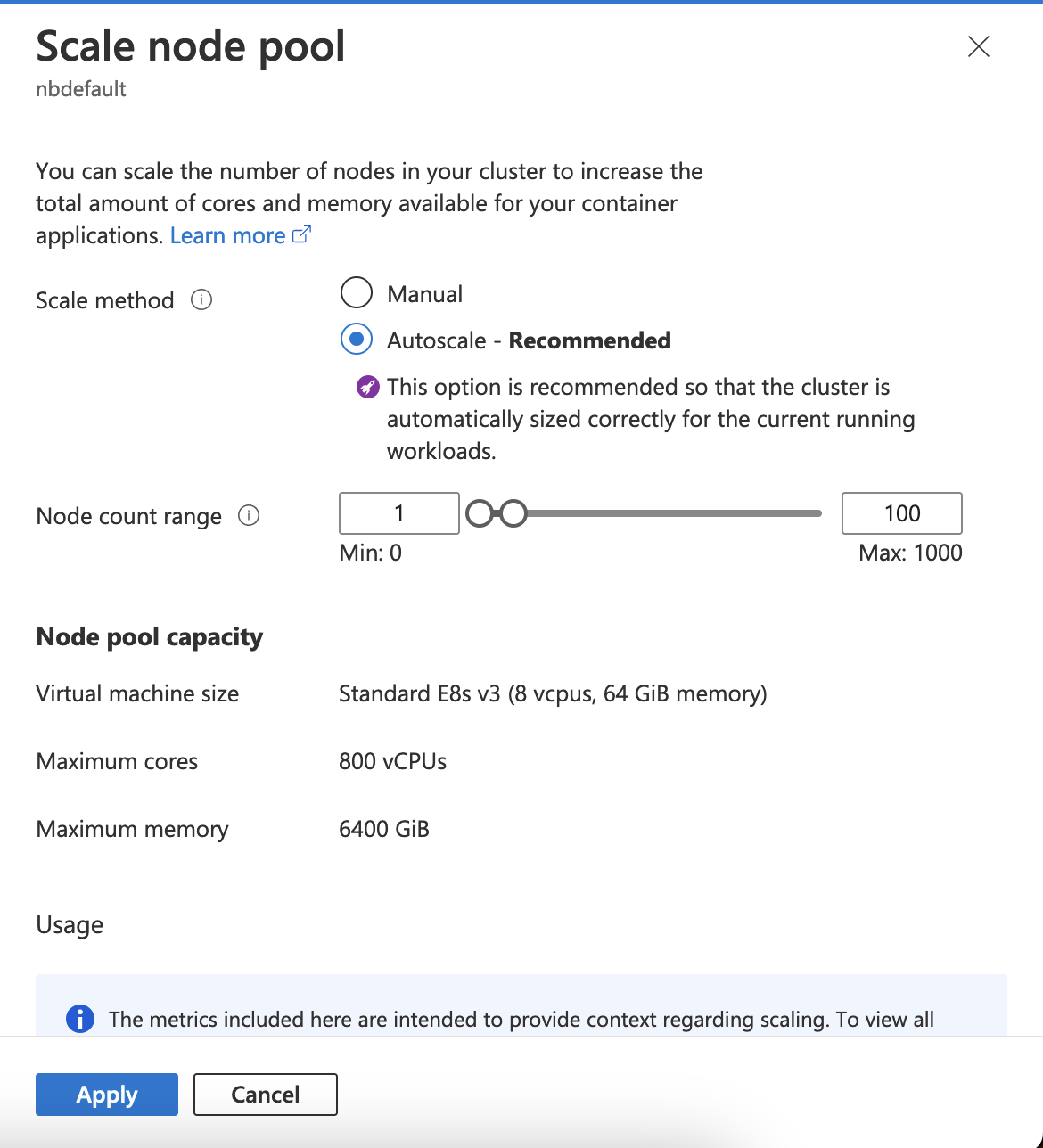
Scale node pool#
If the
Autoscaleoption is selected like in the screenshot above (the default, recommended option), then in order to scale up the node pool to an exact number of nodes, temporarily deactivate the autoscaler, by selecting theManualoption, introduce the desired number of nodes then clickApply.After the Apply succeeded, you should see the new nodes coming up. You can then click on
Scale node pooloption again, enable theAutoscale, and set theMinnumber of nodes to the desired one the you set in the step before.
Warning
Don’t forget to turn the autoscaler back on after the manual modification of the node pool size! This is really important, otherwise a scale up from the max manual limit, won’t be able to happen automatically, and the hub won’t be able to spawn new user servers.
Scaling down a node pool#
Follow the first six steps in the scaling up guide above, until you get to the
Scale node poolwindow.This time, do not activate the
Manualmode, and just adjust theMinnumber of nodes for the autoscaler. As users stop their servers after the event, eventually a scale down event will be triggered, and the autoscaler will adjust the node pool size according to the limits that are set.
Note
The cluster autoscaler doesn’t enforce the node pool size after updating the Min or Max counts.
The limits will be taken into accounts for future scaling decisions.
A new scaling decision happens after a scale up/down event is triggered.
So, because we usually want nodes to be ready and waiting before an event, and not wait for a scale up/down event, we need to temporarily disable the autoscaler.
More about the Azure autoscaler in the docs here.
Terraform instructions#
TODO